Copper and fiber
Cabling is the only part of a network you cannot fix with a firmware update: it has to be right the first time. We install it, test it and hand you the report for every link.
Optical fiber
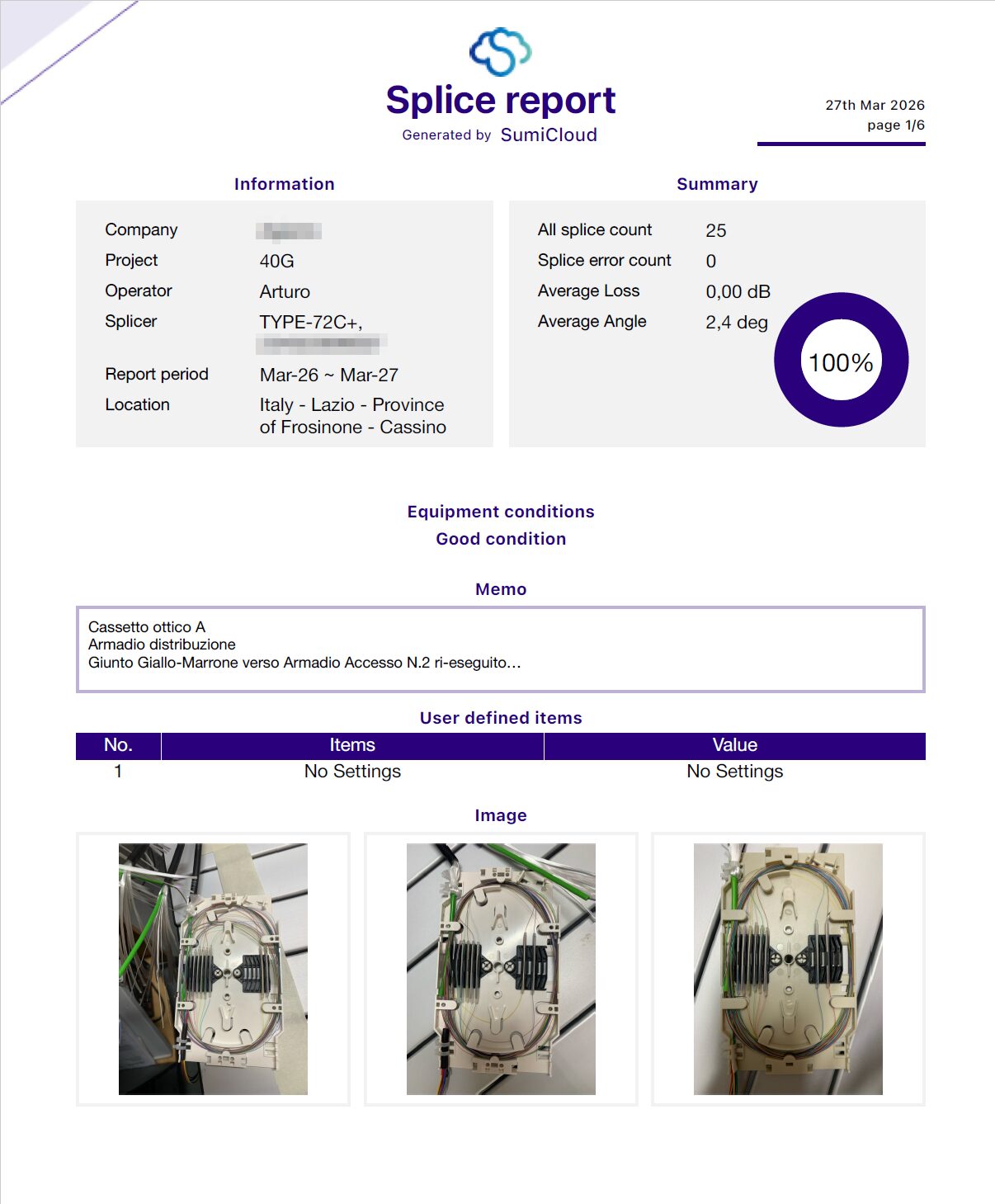
Fusion splicing with a Sumitomo Electric Type-72C+, which aligns the fiber cores before fusing them. Fiber cabinets and trays, patch cords, repair of damaged links and extensions to existing infrastructure.
For every splice the splicer records the estimated loss, the cleave angle and a photo. The final report is generated from that data, with nothing copied by hand.
- Splices in the report shown
- 25
- Splices to redo
- 0
- Average estimated loss
- 0.00 dB
- Average cleave angle
- 2.4°
Copper
Category 6A structured cabling, shielded where the environment calls for it. Racks, patch panels and labeling that matches the documentation.
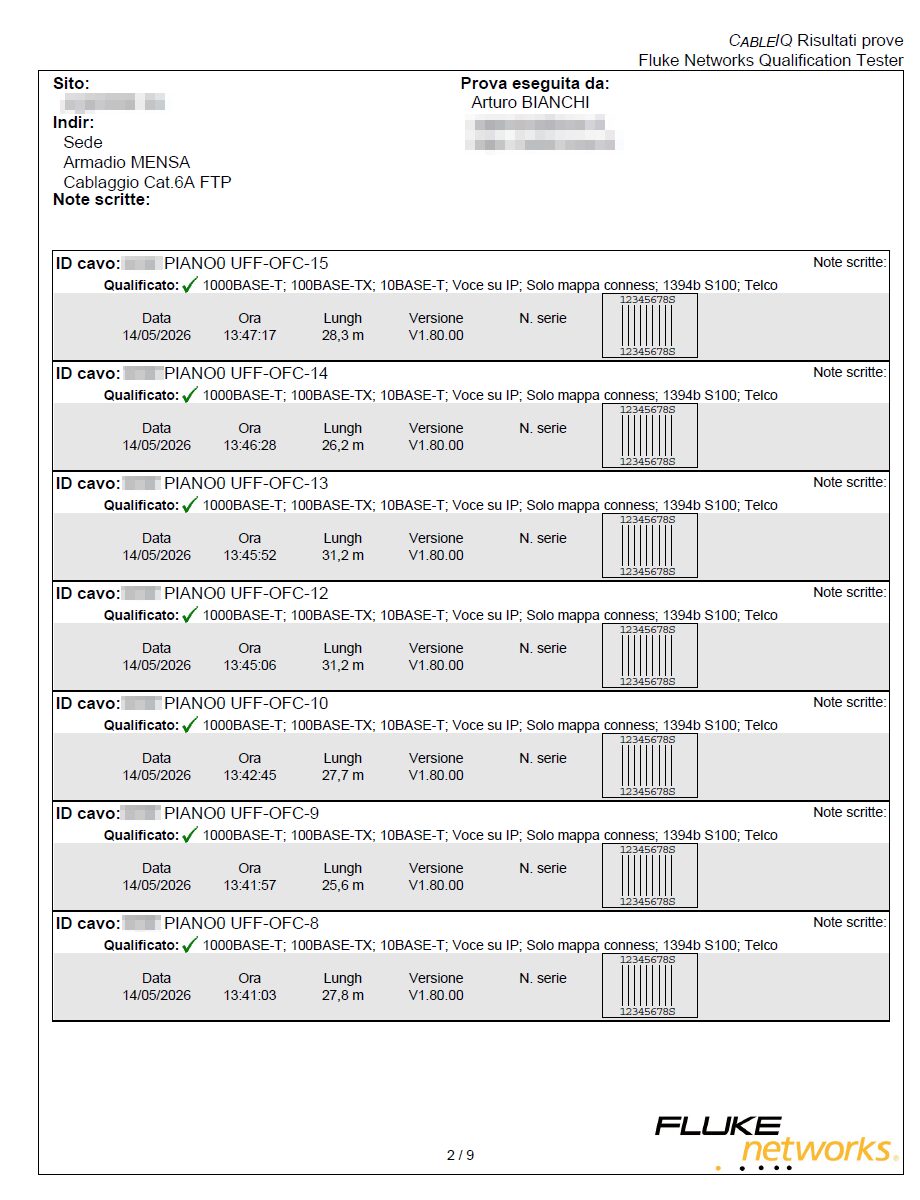
Every outlet is tested with a Fluke Networks CableIQ: pin-by-pin wire map, length, shield, and qualification for the use you will make of it.
- Wire map
- 1-8 and shield, pairs and crossings checked
- Qualification
- 10BASE-T, 100BASE-TX, 1000BASE-T, voice over IP
- Delivery
- a report for every cable, with date and length
Qualification checks that the cable can carry the stated service. When a tender requires category certification to standard, we say so up front and arrange it with the right instrument.
What you are left with
Cabling without documentation lasts as long as someone remembers it.
Test reports
For every splice and every outlet, generated by the instrument, not retyped.
Consistent labels
The same name on the cable, the patch panel, the report and the diagram.
Network diagram
Cabinets, links and equipment in a block diagram that the next person can read too.